Her shift comes first.
Today’s hours, where she’s working and whether she has clocked in.

In development · Offered to businesses by quote
Owners and managers plan on the web, employees check their shifts on their phone and everyone clocks in at a shared tablet with a PIN.
Already use NEVORA? Get help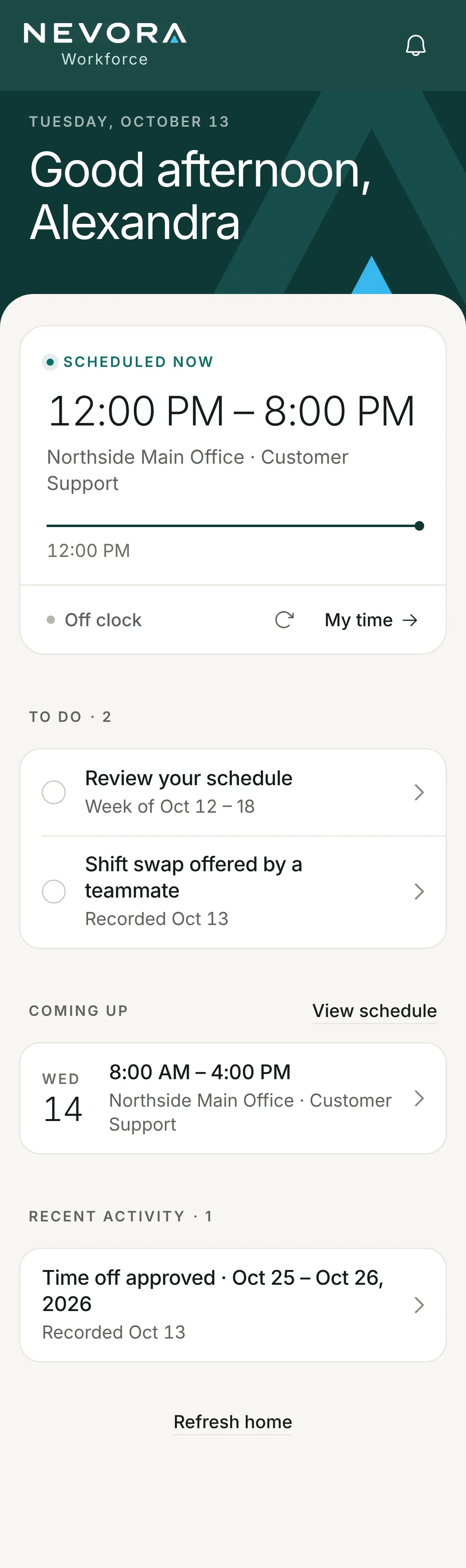
Time clock
Each person types their own four-digit PIN at a shared tablet. The screen clears itself for the next person.
Enter any four digits. Sample workplace. Nothing you enter is saved or sent.
 Time clock
Northside Main Office
2:17PM
Tuesday, October 27
Your PIN is separate from your portal password.
Saved at Oct 27 · 2:17 PM.
Demo only. No hours were saved.
Screens
Alexandra works from 12:00 PM to 8:00 PM today. Here is her phone, then her manager’s view on the web.
Today’s hours, where she’s working and whether she has clocked in.
Her schedule for October 12 to 18 is posted for her to review, and a teammate has offered her a shift swap.
She asked for October 25 and 26, and the answer is on her home screen.
Home shows who is on shift now and what is waiting for your answer. Schedules, timecards and payroll are in the menu.
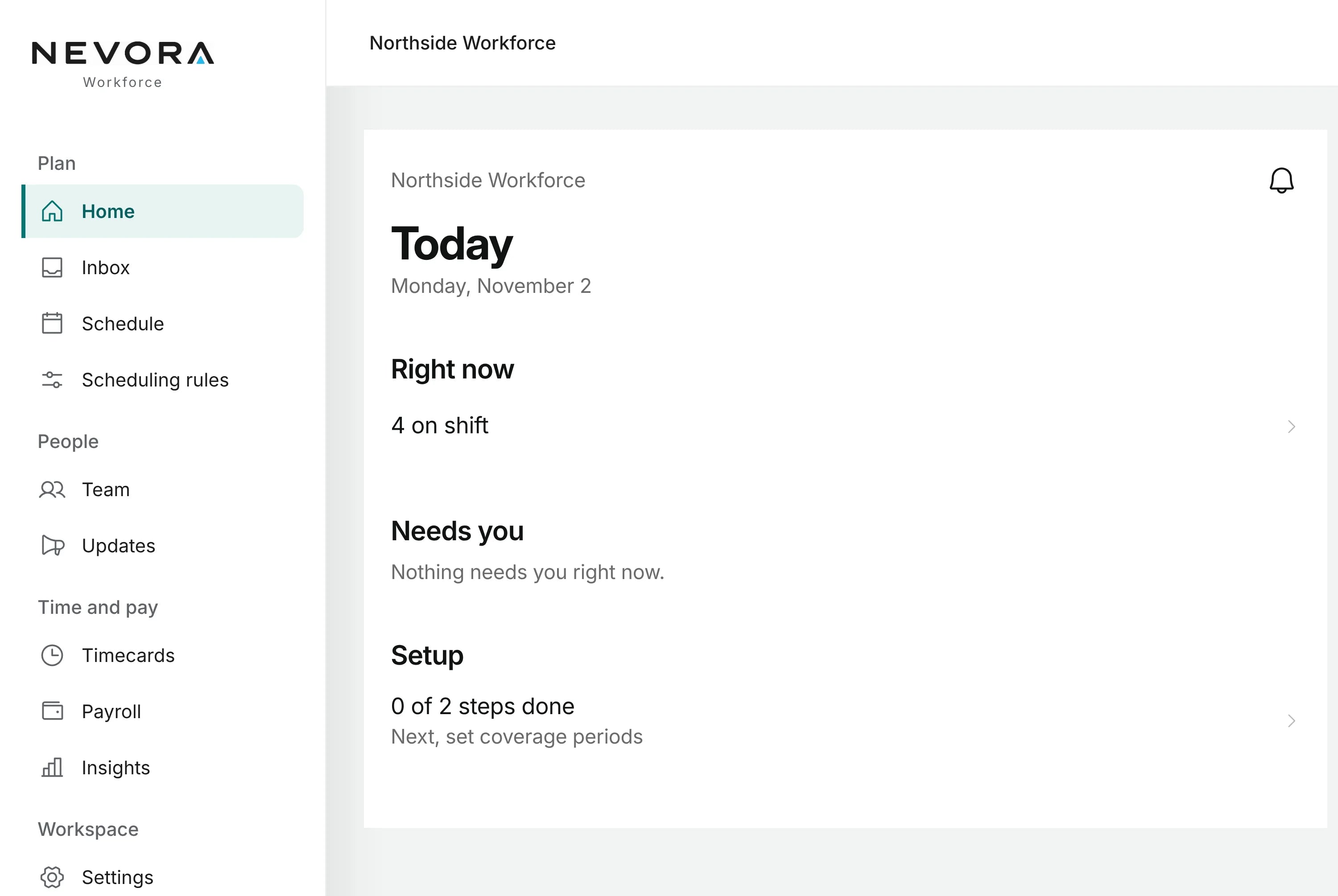
Alexandra and her workplace are fictional. The screens are from the NEVORA app, which is in development.
Pay
When you publish payroll, each employee finds their pay statement under My pay, on their phone or the web.
Details
Access is role-based, connections are encrypted, and security and access logs are kept for up to 90 days. NEVORA does not sell personal information or track people across other companies’ apps and sites for advertising. Details are in the NEVORA privacy policy.
Get NEVORA
Questions
NEVORA is in development. Ask for a quote and we will explain its current availability for a team like yours.
No. NEVORA calculates payroll from the hours you approve and publishes pay statements. You pay your team and file payroll taxes the way you do today.
We price NEVORA for each business, based on what you tell us about your team. A quote does not commit you to anything.
In the NEVORA privacy policy. It explains what is collected, why, who can see it, how long it is kept and how to ask for deletion.
Your account comes from your employer, so ask your manager first. If you still need help, write to support@thevelani.com.
NEVORA supportNEVORA privacy policyDelete your NEVORA accountNEVORA terms of use
